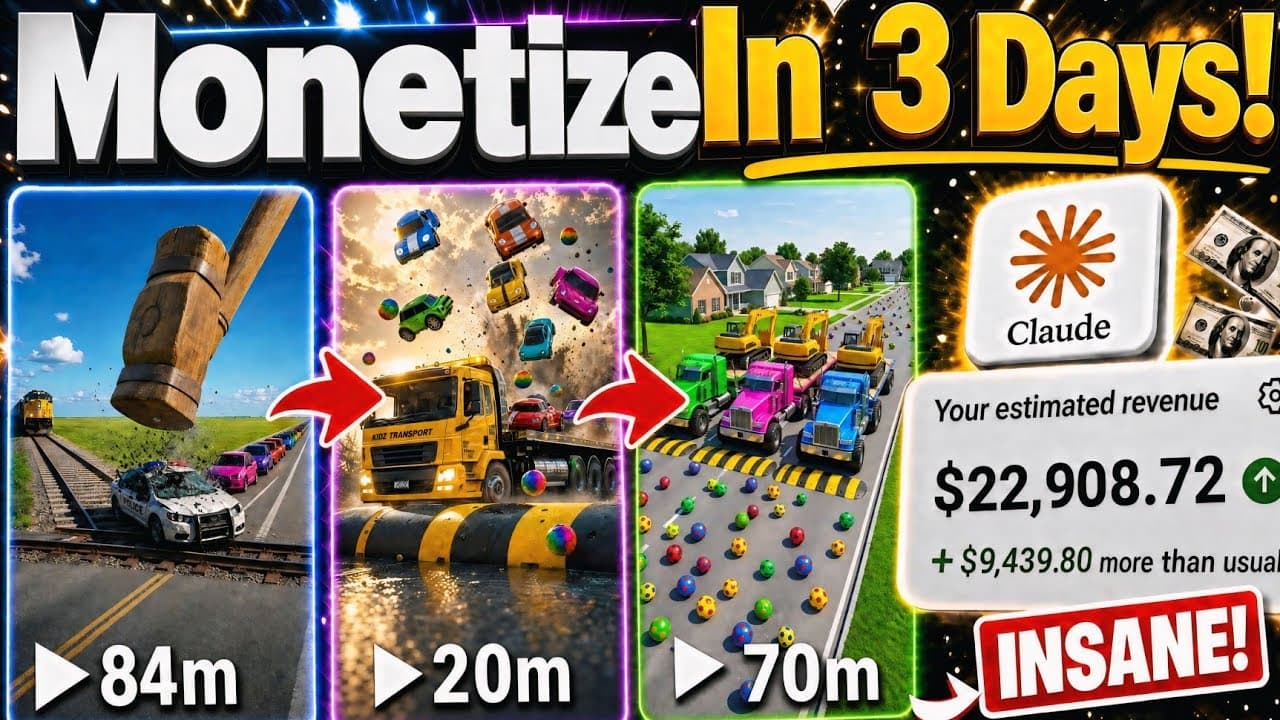
A detailed step-by-step process for creating audience-focused car crash simulation videos in the style of BeamNG.drive, entirely using AI with Claude AI, Flow AI, Google Omni, and Last-Frame Chaining techniques.
The niche of vehicle physics simulation content in the style of BeamNG.drive (Trucks, Colored Cars vs Speed Bumps, Ramps & Obstacles) is one of the most lucrative video-generating sites on YouTube. Many newly established channels, some only 4 months old with a few dozen short and long videos, have quickly reached hundreds of thousands to over 8.5 million views per video without showing their faces or using voiceovers.
What's special is that you absolutely don't need to own BeamNG.drive, you don't need an expensive gaming PC for rendering, and you don't need complex driving simulation skills. All the truck crash scenes, speed bumps, and devastating collisions can be 100% automatically generated by AI in just a few minutes through a combination of Claude AI and Flow AI (Google Omni Model).
Concept example: “Heavy Trucks Challenge 100 Giant Speed Bumps (Trucks vs 100 Giant Speed Bumps)”
• Setting: A steep, vertical test track in the desert with a series of 100 sharp metal speed bumps. • Vehicles: A fleet of heavy-duty semi-trucks in striking colors (neon yellow, bright red, green). • Crash Physics: Vehicles hurtling down the slope at 120 km/h, sparks flying from the undercarriage, wheels snapping and flying off, and the cargo bed dents and explodes, creating a powerful visual effect. • Format: 16:9 horizontal video (YouTube Long-form / Flexible Shorts), each scene lasting 6–8 seconds, following each other.
5-Step Process for Producing BeamNG Simulation Videos Using AI
Step 1: Master Prompt creates story sequences and thumbnails in Claude AI.
Open Claude AI (claude.ai) and paste the Master Prompt below to get a list of the 5 most viral topics along with the complete segmentation script:
Prompt mẫu
You are the Lead Physics Simulation Video Director specializing in producing BeamNG.drive-style car crash simulation videos (Trucks & Cars vs. Obstacles / Speed Bumps / Deep Pits) with millions of views on YouTube.

Please support me with the following process:
1. Phase 1: Suggest 5 of the MOST VIRAL CAR CHALLENGE IDEAS (e.g., Monster Trucks vs. 100 Speed Bumps, Colored Supercars vs. Giant Shredder, Semi-Truck vs. Massive Jump Ramp...). Ask me to choose one theme.

2. Phase 2: After I choose, automatically export a COMPLETE SEGMENTED SCRIPT including:

- 01 MASTER_KEYFRAME_IMAGE_PROMPT (English, 16:9 aspect ratio, BeamNG.drive photorealistic video game graphics style, Unreal Engine 5 rendering, wide-angle cinematic, no text, no watermark).
- A SEQUENCE OF 4-6 VIDEO CLIP PROMPTS (English, 6-8 seconds per clip, clearly specifying camera angles for tracking, depicting the action of the car accelerating, crashing, exploding, scattering parts, and metal deformation in a continuous sequence).

- 1 THUMBNAIL PROMPT (English, 16:9 aspect ratio, highly dramatic camera angles, vibrant colors, strong contrast to maximize click-through rate).
Step 2: Create the starting Keyframe image in Flow AI.
Open Flow AI (flow.ai) > Create a New Project > Configure the Settings:
• Mode: Image Mode. • Aspect Ratio: 16:9 (standard YouTube landscape screen). • Number of Images: 4 results to choose the sharpest and most beautiful frame. • Paste the MASTER_KEYFRAME_IMAGE_PROMPT code from Claude AI and press Generate.
Prompt mẫu
Horizontal 16:9 cinematic video game photography. A massive heavy-duty neon-yellow semi-truck speeding down a steep desert asphalt test track towards a series of massive metal speed bumps. BeamNG.drive simulate game style, Unreal Engine 5 high-definition graphics, photorealistic vehicle reflections, dramatic sunny afternoon lighting, dynamic low-angle wide shot, suspension under extreme tension, 8k resolution, crisp details, no text, no watermark.
Step 3: Animate Video Scene 1 using the Google Omni Model
Select the best and sharpest image from the four results you just created, drag it directly into the Flow AI Prompt Box, and configure it:
• Switch to Video Mode. • Aspect Ratio: 16:9, Number of videos: 1. • Model: Google Omni (for the smoothest vehicle physics and inertia). • Duration: 8 seconds (or the duration specified by Claude). • Paste Video Prompt 1 from Claude AI and press Generate.
Prompt mẫu
Dynamic low-angle chasing camera tracking rapidly except the heavy yellow semi-truck. The truck accelerates violently down the steep slope, massive wheels roaring over the tarmac with tire smoke, rushing directly towards the first set of giant speed bumps. Authentic vehicle suspension physics, shaking chassis, dust flying in the air, smooth 24fps BeamNG simulation motion, no jitter.
Step 4: Last-Frame Chaining technique extends the video into a complete sequence.
To make the collision scenes flow seamlessly like a real game level:
1. Open the newly created Scene 1 video, click to watch, and pause at the very last frame. 2. Click the image icon in the upper corner and select 'Save Frame' to save the last frame. 3. Drag the saved frame into the Prompt Box of the main interface. 4. Paste Video Prompt 2 from Claude AI (describing the first collision with the speed bump, bouncing into the air and sparks flying) > Select a duration of 8 seconds > Click Generate. 5. Repeat this process: Generate → Open video → Save Last Frame → Load the next prompt until all 4-6 collision scenes are complete.
Step 5: Create thumbnails to boost CTR and post-production on CapCut
Before creating the video, record Flow AI in Image 16:9 mode, and paste THUMBNAIL_PROMPT from Claude to create the two most impressive cover images:
Prompt mẫu
Extreme close-up action thumbnail. A neon yellow semi-truck flying mid-air after hitting a giant metal bump, chassis heavily crumpled with bright sparks flying everywhere, wheels dislodging, high contrast, vibrant saturated colors, dramatic cinematic lighting, YouTube gaming thumbnail aesthetics, 8k, ultra-sharp focus.
Open CapCut and import all video clips in the correct order (1, 2, 3...) into the timeline: • Quality Filter: Cut out frames with unrealistic physical defects or distortions. • Sound Design: Incorporate diesel engine roars, screeching tires, metallic crashing sounds (Metal crunch SFX), and shattering glass. • Add camera shake effects at the exact moment of impact to enhance the dramatic effect.
Quality control checklist before publishing.
Checklist thực hành
- Video resolution meets Full HD 1080p or 4K 16:9 aspect ratio standards.
- The inertia and metal deformation motion of the car appear solid and follow the laws of physics.
- Last-frame transitions between clips are perfectly matched in terms of car position, lighting, and racetrack background.
- Collision sound effects and engine sounds are precisely synchronized with each landing.
- Thumbnails are visually striking, showcasing the most dramatic destruction moments.
- There are no watermarks or AI-generated distorted logos in the frame.
Lean manufacturing system
Master Prompt Claude AI (Chọn thử thách & nhận chuỗi prompt cảnh)
→ Tạo ảnh Keyframe gốc (Flow AI - 16:9)
→ Diễn hoạt Scene 1 (Flow AI - Model Google Omni, 8s)
→ Trích xuất Last Frame của Scene 1
→ Diễn hoạt Scene 2 từ Last Frame (Lặp lại cho đủ toàn bộ cảnh)
→ Tạo Thumbnail siêu nét (Flow AI - Image Mode 16:9)
→ Ghép timeline + Layering âm thanh va đập & Rung lắc camera trên CapCut
→ Xuất bản video BeamNG Simulation triệu view
The process, combining physics-based scripting in Claude AI with Last-Frame Chaining techniques in Flow AI, allows you to create compelling car crash simulation videos in the style of BeamNG.drive at zero cost, opening up the opportunity to build a YouTube gaming channel with millions of views completely automatically.