Detailed process for two methods (Manual & Automated) to produce audience-focused DIY cardboard craft ASMR videos using Claude AI and Google Flow.
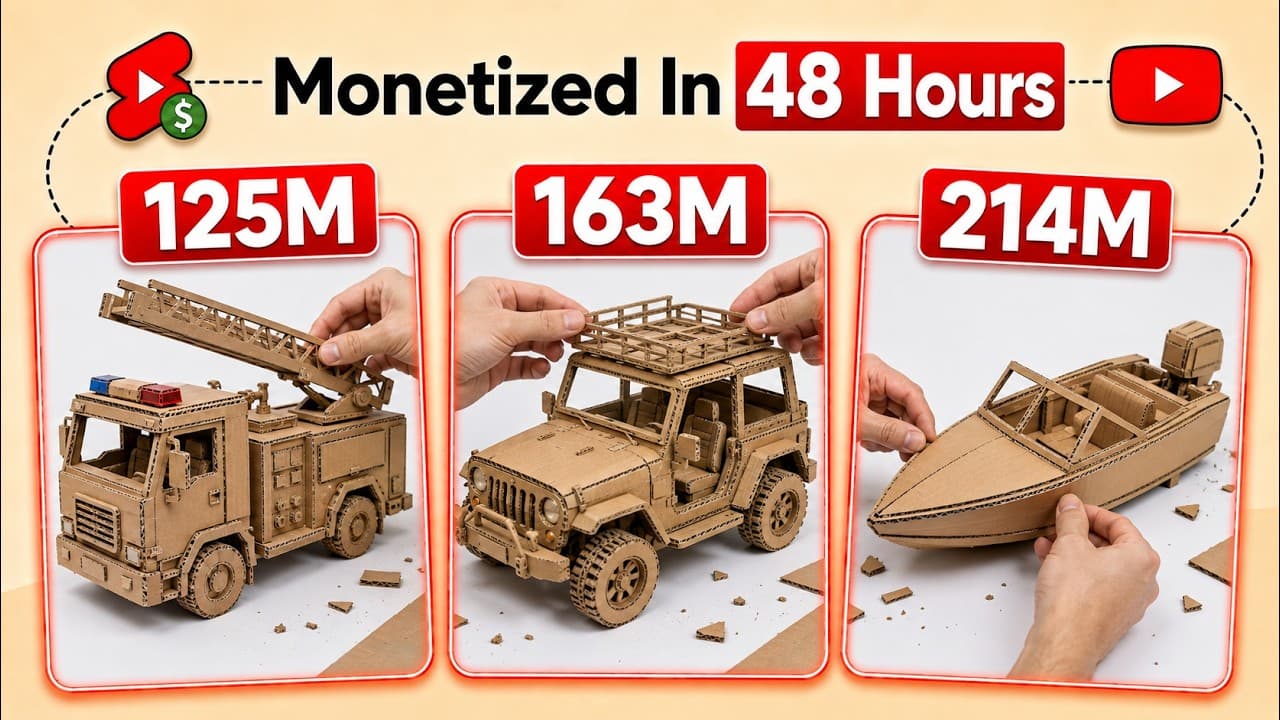
The DIY Crafts & Cardboard Making video niche is currently one of the hottest content trends on Instagram Reels and TikTok. Many newly created channels, after only two weeks of uploading a few dozen videos, easily gain tens of thousands of followers and have clips with 1.4 to 1.7 million views. The appeal of this niche comes from the visual satisfaction of watching a rough sketch on cardboard gradually transform into sophisticated items like Thor's Hammer, fighter jets, or vintage record players.
Amazingly, 100% of the videos on these channels are created using AI without any cardboard or crafting tools. This article will guide you through two methods (manual and automated) to create incredibly realistic DIY videos completely free of charge using the power of Claude AI and Google Flow.
Sample concept: "DIY Vintage Telephone Made from Cardboard"
• Subject: A classic rotary dial telephone made entirely of brown cardboard. • Setting: A craft desk with a sketchbook, scissors, glue, and scraps of paper scattered around. • Progression (10s): The video begins with hands cutting and assembling the cardboard pieces, gluing them into the shape of the handset, assembling the dial, and ends with showcasing the finished product in crisp detail under warm studio lighting. • Format: Vertical 9:16 video (Shorts/Reels/TikTok), fast-paced to keep viewers engaged in the opening seconds.
Method 1: Manual Method (completely free)
Step 1: Brainstorm and write a script for the Prompt using Claude AI / DeepSeek
Use intelligent chatbots like Claude AI or DeepSeek (completely free, no limits). Paste the following Master Prompt to receive 20 unique craft ideas:
Prompt mẫu
You are a YouTube Shorts content creator specializing in DIY Cardboard Crafts using AI.

Please assist me with the following process:
1. Phase 1: Suggest 20 unique CRAFT IDEAS made from cardboard (e.g., Vintage Telephone, Thor's Hammer, Fighter Jet, Retro Camera...). Ask me to choose one idea.

2. Phase 2: Ask me about the aspect ratio (choose 9:16) and duration (choose 10 seconds).

3. Phase 3: Write a dedicated English VIDEO MOTION PROMPT for the Omni Flash (Google Flow) model, approximately 80 words long. Describe in detail the human hand performing the cutting and pasting operation, the lighting of the workbench, the brown corrugated cardboard material, and the smooth transformation from disparate pieces into a finished item. No text, no watermarks.
Step 2: Animate the video using Google Flow (Omni Flash Model)
1. Open Google Flow > Log in to your Google account > Create New Project. 2. Set the mode: Select Video Mode > Aspect Ratio: 9:16 > Output: 1 or 2 (depending on your testing needs). 3. Select Model: Omni Flash > Set Duration: 10 seconds. 4. Copy VIDEO_MOTION_PROMPT from Claude AI, paste it in, and press Generate.
Prompt mẫu
Prompt Sample:
Vertical 9:16 cinematic fast-paced DIY video. A top-down macro view of human hands working on a crafting desk, skillfully cutting and gluing pieces of brown corrugated cardboard to build an intricate vintage rotary telephone. The camera captures realistic crafting motions, glue applying, and piece assembling. The final shot reveals the fully completed cardboard vintage telephone with crisp, photorealistic textures and soft warm studio lighting. 24fps smooth motion, no jitter, pure DIY aesthetic.
Method 2: Automated Method for Batch Video Creation
For those who want to create dozens of videos simultaneously using AI agents (you can use Google's free Antigravity tool or Anthropic's Claude Code):
1. Install the Claude Code CLI on your Mac/Windows computer. 2. Create a folder on your computer (e.g., DIY_AI_Videos) for the Agent to save the files. 3. Launch Claude Code in 'Automated Mode'. Grant the Agent permission to access the folder and connect to video generation backends (such as Higgsfield or Top View — note that these platforms may require payment for 15-second models like SeaDance 2.0). 4. Instruct the Agent to create a batch: 'I want to create 3 videos of fighter jets, 2 videos of desk lamps, and 1 video of vintage telephones. Aspect ratio 9:16, duration 15 seconds.' 5. The Agent will automatically generate the prompt, connect to the video rendering API, and save all 6 high-definition videos to your computer folder within minutes.
Step 3: Post-process ASMR audio and publish on CapCut
To make the video look as realistic as possible and avoid being detected as AI, sound design plays a crucial role:
• Open CapCut and add the 10-second clips you just created to the timeline. • Find and add sound effects (Foley SFX): Cardboard cutting sound, hot glue gun sizzle, and the sound of paper objects assembling. • Add a fast-paced Phonck or Lo-Fi background music track at -18dB volume to increase virality.
Quality control checklist before publishing.
Checklist thực hành
- The video retains the characteristic brown texture of corrugated cardboard, avoiding the appearance of glossy plastic or metal.
- The human hands in the video move distinctly, without any extra fingers (a common issue in AI if the prompt lacks the keyword 'realistic human hands').
- The video length is not overly congested, with the cutting and gluing steps appearing logically within 10 seconds.
- The ASMR sounds of paper cutting and gluing are perfectly synchronized with each interactive frame.
- The output video size is Full HD 1080x1920 (9:16), ready for Instagram Reels and YouTube Shorts.
Lean manufacturing system
MANUAL METHOD (Hoàn toàn Miễn phí):
Claude AI/DeepSeek (Lên ý tưởng đồ thủ công) → Master Prompt xuất lệnh Video
→ Google Flow (Model Omni Flash, 9:16, 10s) → Render từng video thủ công
→ CapCut: Lồng âm thanh ASMR cắt giấy + Nhạc nền Viral → Xuất bản

AUTOMATED METHOD (Batch Production):
Claude Code CLI (Automated Mode) → Giao lệnh tạo Batch (ví dụ: 6 videos)
→ Agent tự gọi API render (Higgsfield/TopView, 15s) → Tự động lưu về Folder máy tính
By harnessing the boundless creativity of AI combined with Google Flow's hyper-realistic material rendering capabilities, you can absolutely build an 'AI Craftsman' channel that attracts millions of views and grows your following community at lightning speed.