A detailed step-by-step process for producing audience-focused Roblox storytelling short videos using only AI with Claude AI, Google Flow Omni Flash, and CapCut.
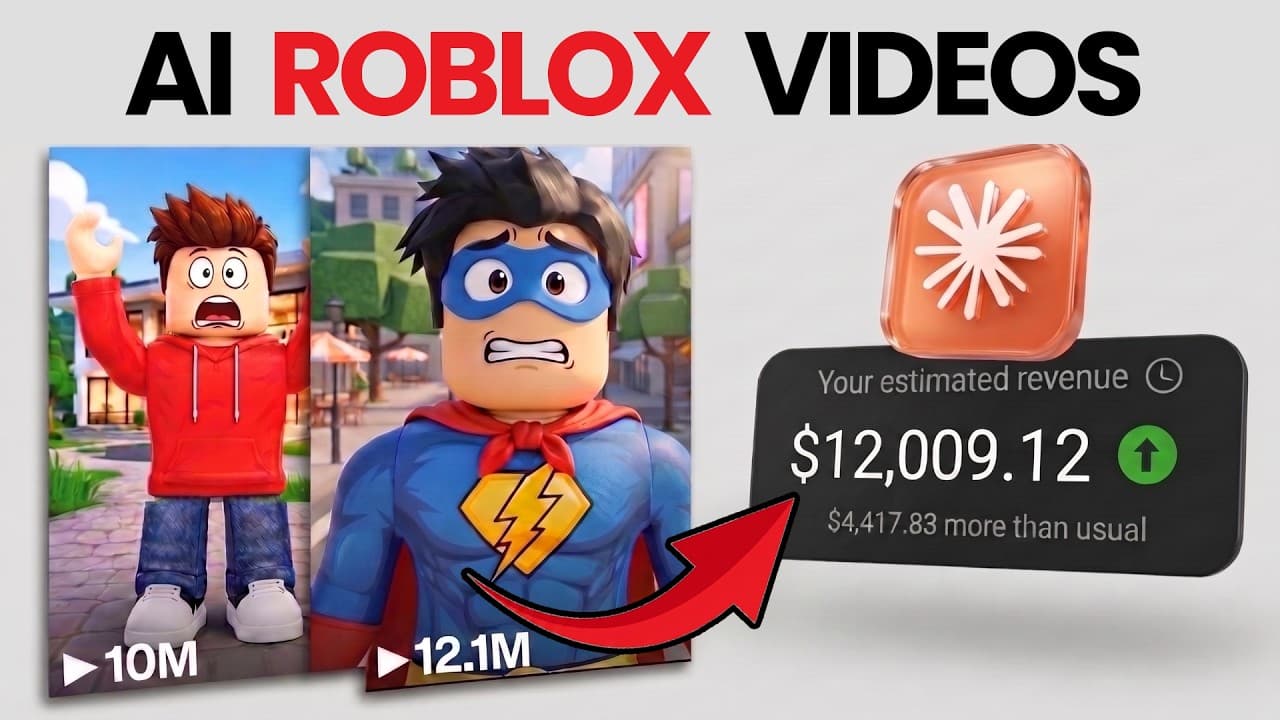
The Roblox Storytelling Shorts niche is one of the biggest 'Evergreen' content goldmines on YouTube. Channels in this niche post short, humorous stories and garner tens of millions of views per video. Most importantly: these channels are all monetized through the YouTube Partner Program (YPP) and generate substantial monthly income.
Previously, creating a Roblox animated video required knowledge of Roblox Studio and Blender, character rigging skills, and weeks of rendering. Now, you can create completely free, synchronized Roblox AI videos in minutes thanks to the combination of Claude AI and Google Flow.
Sample concept: "The Clumsy Superhero"
• Genre: Roblox Comedy Story (Short animated Roblox film). • 4-scene script: - Scene 1: A Roblox boy in a superhero cape confidently stands on a rooftop: "Wow. A real superhero. Nothing can stop me!" - Scene 2: The boy is about to fly up when he sees a toy fall. - Scene 3: His pet dog barks, "Go get it!" - Scene 4: The clumsy superhero slips and falls, "Oops!", and the story ends with laughter. • Visual style: Roblox 3D game aesthetic, blocky characters, vibrant lighting, smooth animation. • Format: Vertical video 9:16 (Shorts/TikTok), approximately 30-40 seconds long.
A 4-step process for producing storytelling videos on Roblox using AI.
Step 1: Master Prompt - Create Scripts & Prompts in Claude AI
Open Claude AI (claude.ai) or ChatGPT and paste the following Master Prompt to create a script and issue commands to generate a video:
Prompt mẫu
You are a YouTube Shorts content creator specializing in Roblox Animation.

Please assist me with the following process:
1. Suggest 5 short, funny Roblox story ideas (Roblox Funny Story) approximately 30 seconds long. Ask me to choose one idea. (If I want a different topic, I will type "Give me more fresh topics").

2. After I choose, write a DETAILED SCRIPT including:

- Voiceover Script: Character dialogue and sound effects (laughter, falling, etc.).

- Divided into 4-5 scenes (Scene Breakdown).

- SCENE_VIDEO_PROMPT for each scene: English, for Omni Flash (Google Flow) models, 9:16 aspect ratio. Emphasize the "Roblox 3D game aesthetic, blocky character design" style. Clearly describe the humorous actions of the characters.
Step 2: Animate Scene 1 using Google Flow (Omni Flash Model)
After Claude AI generates the detailed script, follow these steps to create the first scene:
1. Access Google Flow > Create New Project. 2. Select Video Mode > Aspect Ratio: 9:16 (standard Shorts). 3. Model: Omni Flash > Duration: 8 seconds. 4. Paste the SCENE_VIDEO_PROMPT of Scene 1 and press Generate.
Prompt mẫu
Example Video Prompt Scene 1:
Vertical 9:16. Roblox 3D aesthetic game. A blocky Roblox boy wearing a red superhero cape standing confidently on a voxel city rooftop, putting his hands on his hips. Bright colorful lighting, smooth 24fps motion, authentic Roblox graphics style, no text, no warping.
Open the video you just created and preview it. If you're satisfied, move on to the most important step.
Step 3: Last-Frame technique to keep the character consistent.
For Scene 2, the characters should still be wearing the same outfits and standing in the same logical positions:
1. Open the rendered Scene 1 video, fast forward to the last frame, and pause. 2. Click the camera icon / 'Save Frame' on the screen to have Google Flow automatically save this image. 3. Return to the main interface, hover over the saved frame, and select 'Add to prompt'. 4. Paste the SCENE_VIDEO_PROMPT of Scene 2 from Claude into the command box > Press Generate.
By using the final frame of the previous scene as the starting point for the next scene, the AI will be forced to maintain the design (clothing, faces, background) throughout the story. Repeat this process for Scene 3 and Scene 4. Download the entire video to your computer.
Step 4: Post-production of voiceovers and effects in CapCut
Open the completely free CapCut software and import the clips into the timeline:
• Clip Arrangement: Place clips in the correct storyline order. • Voiceover & SFX: Add AI (or self-recorded) voiceovers such as "Wow. A real superhero," dog barking, slips, and laughter to the appropriate scenes. Sound effects (SFX) account for 50% of the humor in Roblox videos. • Dynamic Captions: Add large, clear, and brightly colored (yellow/red) automatic subtitles to increase viewer engagement. • Video Export: Set the resolution to 1080p or 4K, 60fps for the smoothest video display on your phone.
Quality control checklist before publishing.
Checklist thực hành
- The vertical video resolution is a sharp 1080x1920.
- The Roblox character maintains a consistent outfit and appearance thanks to Last Frame technology.
- Movement is smooth, without the characteristic distortion of shapes typical of Roblox games.
- The voiceover and sound effects (SFX) are humorous and perfectly synchronized with the action.
- Captions are large, clear, and appear in the center of the vertical frame.
- The storyline includes a surprising or humorous plot twist/funny ending to make viewers want to rewatch it.
Lean manufacturing system
Master Prompt Claude AI (Lên ý tưởng cốt truyện & Video Prompts)
→ Google Flow (Omni Flash, 9:16, 8s): Render Scene 1
→ Tạm dừng Scene 1 ở giây cuối → Save Last Frame → Add to prompt
→ Render Scene 2 từ Last Frame (Lặp lại cho tất cả các cảnh)
→ Tải toàn bộ clip về CapCut
→ Lồng Voiceover hài hước + Auto-Captions + Hiệu ứng SFX
→ Xuất bản video Roblox Storytelling triệu view
By leveraging Claude AI's thought process and Google Flow's seamless frame-splicing capabilities, you can easily produce engaging Roblox animated series daily, build a loyal audience, and effortlessly leverage YouTube Partner Program revenue.