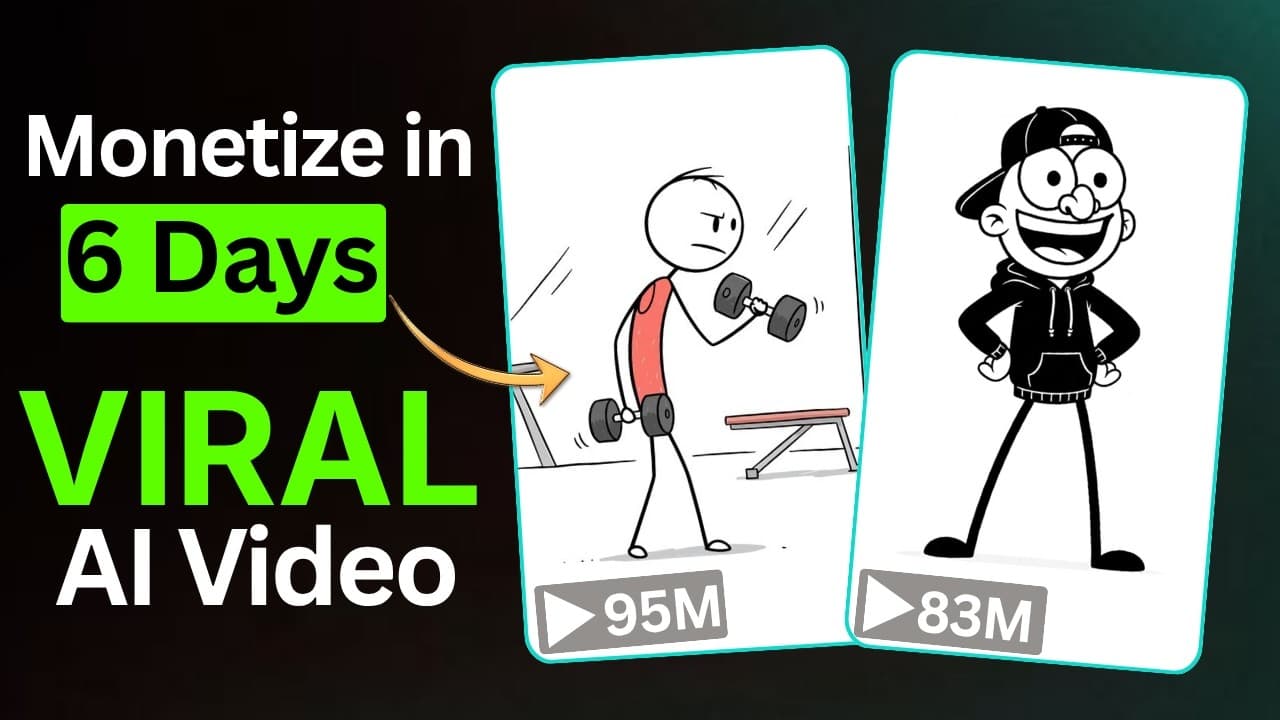
A step-by-step process for producing stick figure animated videos telling life philosophies that garner millions of views, in the authentic Rico Animations style, entirely using AI with ChatGPT, Google Flow Omni Flash, and Google AI Studio TTS.
The niche of stickman animated videos telling life lessons (Stickman Life Lessons / Storytelling Animation), in the style of Rico Animations (over 13 million subscribers, hundreds of millions of views per video), is one of the content types with the highest conversion rates and average view duration on YouTube. The minimalist visuals allow viewers to focus 100% on the profound message, reflections, and meaningful life lessons.
In this article, you will learn the complete 5-step process for producing stick figure animation videos in the Rico Animations style, completely free of charge, using AI: • ChatGPT: Develop themes that resonate with a wide audience, write precise scene scripts according to duration, and generate image/video prompts for each scene. • Google Flow: Lock in the creation of stick figure models and create smooth animations using Omni Flash models (8–10 seconds per scene). • Google AI Studio / ElevenLabs: Create warm, expressive, and natural voice-overs. • CapCut: Combine timelines, synchronize voice-over audio, and publish 4K video.
Sample concept: "Valuable Life Lessons Learned Too Late"
• Character: Stickman, drawn in minimalist black and white, with expressive, witty yet profound round eyes. • Setting: Minimalist white background with a few symbolic props (hourglass, money bag, blurry crowd in the background). • 4-scene scenario: - Scene 1: Stickman chases after the crowd, buying unnecessary items. - Scene 2: Realizing everyone is busy with their own lives; no one judges you as you imagine. - Scene 3: A lesson about time being more valuable than money — money can be earned back, time lost is forever. - Scene 4: Awakening to not waiting for the 'perfect moment' but taking action today. • Format: Horizontal video 16:9 (long YouTube) or 9:16 (Shorts/Reels), each scene lasting approximately 40–50 seconds.
The 5-step process for producing stick figure animation videos with millions of views.
Step 1: Prepare the character model & Master Prompt ideas on ChatGPT
Find and download a 2D Stickman character image on a white background from Google or Pinterest. Then open ChatGPT and paste Master Prompt 1 to receive 20 emotionally resonant theme ideas:
Prompt mẫu
You are a Creative Director and Storyteller specializing in writing scripts for philosophical stickman animations (Stickman Life Lessons Animation) with millions of views in the style of Rico Animations.

Please suggest 20 IDEAS on LIFE/HUMAN PSYCHOLOGY that are profound and emotionally resonant (e.g., Lessons Learned Too Late, The Art of Not Worrying About What Others Say, The True Value of Time, The Power of Being Alone...).

Each idea should include: Script Title | Core Message | Humorous/Profound Visual Elements.
Step 2: Master Prompt creates a 4-scene script & image/video prompts.
Choose a theme you like and paste Master Prompt 2 into ChatGPT to create a detailed storyboard:
Prompt mẫu
Based on the chosen theme: [LIFE LESSONS REALIZED TOO LATE]
Target duration: Approximately 40-50 seconds (4 scenes, 8-10 seconds each).

Please export a DETAILED SCRIPT including:
1. NARRATION_SCRIPT: The entire narration in English (and Vietnamese) written in an expressive, insightful, and concise style.

2. SCENE BREAKDOWN (For Scenes 1 to 4):

- SCENE_IMAGE_PROMPT: English, standard Rico Animations style 2D minimalist stickman figure on a clean, solid light background, clear expressions, 16:9 aspect ratio.

- SCENE_VIDEO_PROMPT: English, using the Omni Flash model standard in Google Flow, 8-10 seconds in duration, depicting the smooth, natural, and undistorted movement of the stickman.
Step 3: Create a consistent character Keyframe image on Google Flow.
Access Google Flow > Create New Project > Select Image Mode: 1. Upload the prepared Stickman character image to your assets library. 2. Click on the character image > Select 'Add to prompt' to lock the style. 3. Paste the SCENE_IMAGE_PROMPT command for Scene 1 > Press Generate. 4. Repeat for Scenes 2, 3, and 4 (always select 'Add to prompt' for the sample character image before pasting the new prompt image).
Prompt mẫu
Scene 1 Keyframe Prompt:
Horizontal 16:9 minimalist 2D stickman animation style. A simple black-line stick figure character exhausted, carrying oversized luxury shopping bags and chasing after a faceless crowd. Clean solid off-white background, storybook cartoon aesthetic, Rico Animations style, expressive stickman pose, ultra-clean vector lines, no text, no watermark.

Scene 3 Keyframe Prompt:
Horizontal 16:9 minimalist stickman animation. The black-line stick figure stands pensively beside a giant glowing hourglass with falling sand grains, while stacks of paper money fade away in the background. Clean solid light background, dramatic minimalist composition, 8k resolution, no text.
Step 4: Animate smooth motion using Omni Flash Model
After you have all four still scene images in Google Flow: 1. Click on Scene 1 > Select 'Animate' (or Video Mode). 2. Select Model: Omni Flash > Set Duration: 8–10 seconds > Aspect Ratio: 16:9. 3. Paste the corresponding SCENE_VIDEO_PROMPT command for Scene 1 and press Generate. 4. Do the same for the remaining three scenes and download all four animated video clips to your computer.
Prompt mẫu
Scene 1 Video Motion Prompt:
Smooth 2D stickman animation motion. The black line stickman character walks with heavy, tired steps, struggling under the weight of oversized bags, repeatedly looking around trying to gain approval from passing silhouette figures. Subtle humorous body language, smooth 24fps vector physics, clean minimalist motion, no warping.

Scene 3 Video Motion Prompt:
Slow reflective camera drift. The stick figure gently touches the glowing hourglass as luminous golden sand particles cascade downward continuously. Stacks of money floating beside softly dissolve into sparkling dust. Poignant emotional animation timing, fluid 24fps movement.
Step 5: Create an expressive voiceover & CapCut post-production.
1. Open Google AI Studio (or ElevenLabs) > Choose a calm, warm, and deep storytelling voice (like Adam or George's voice). 2. Paste the entire completed script and download the Voice-over MP3 file to your computer. 3. Open CapCut > Arrange the four video clips in order > Add the Voice-over file to the audio track and adjust the duration of each clip to precisely match each sentence read. 4. Add auto-captions in the middle of the screen and add a gentle Piano Lofi background music at -22dB volume.
Complete sample Voice-over script
Prompt mẫu
Most people spend years trying to impress others. They buy things they don't need and chase approval that never lasts. Then one day, they realized something important: nobody is thinking about them as much as they imagined. Everyone is busy living their own lives.

Another lesson comes too late: time is more valuable than money. You can always earn more money, but you can never get your time back. Many people wait for the perfect moment to start their dreams. But the truth is, the perfect moment never arrives.
Quality control checklist before publication.
Checklist thực hành
- The stick figure characters maintain consistent proportions and brushstroke thickness across 100% of the scenes.
- The voice-over narration is clear, with a calm, steady rhythm, free from stuttering or illogical pauses.
- The scene transitions precisely match the narration's pauses, down to the second.
- The video background is clean and minimalist (off-white), free from clutter or unnecessary details.
- Subtitles are sharp, positioned for easy reading, and feature striking contrasting colors.
- The soothing lofi piano background music complements the main voice-over without overpowering it.
Lean manufacturing system
Tải Stickman Figure mẫu (Google/Pinterest)
→ Master Prompt 1: Chọn chủ đề triết lý cuộc sống trên ChatGPT
→ Master Prompt 2: Xuất kịch bản 4 cảnh + Prompts ảnh/video chi tiết
→ Google Flow: Khóa nhân vật mẫu + Render 4 ảnh Keyframe
→ Google Flow (Omni Flash): Diễn hoạt 4 clip video 8-10s
→ Tạo giọng đọc Voice-over qua Google AI Studio / ElevenLabs TTS
→ Ghép timeline + Auto-Captions + Nhạc nền Lofi trên CapCut
→ Xuất bản video hoạt hình người que triệu view
By combining profound philosophical storytelling with the support of Google Flow Omni Flash, you can easily build a fully automated stick figure animation channel with millions of views, delivering high humanistic value to viewers and a sustainable source of passive income.