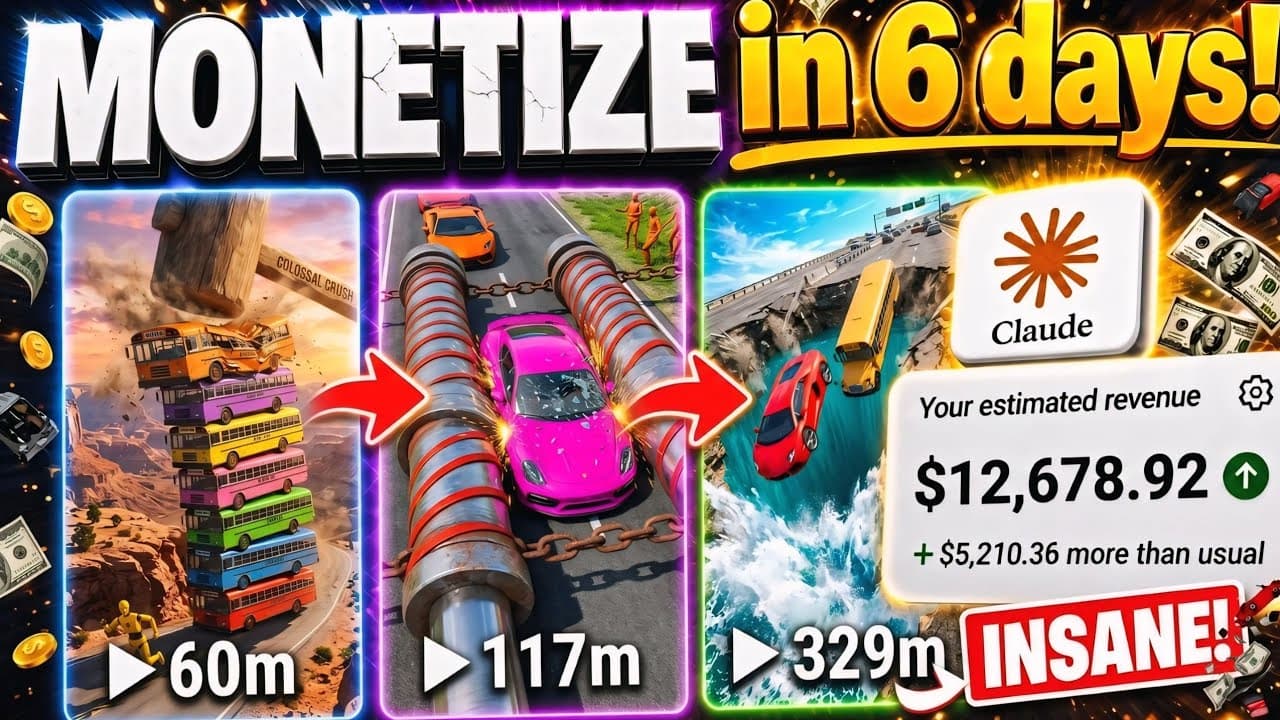
A step-by-step process for producing audience-focused car crash simulation videos in the style of physics-based games, entirely using AI with Claude AI and Flow AI frame stitching techniques.
Videos simulating car crashes and obstacles (Car Crash / Cars vs Water Pit / Cars vs Bollards) in a physics-based game style, like BeamNG.drive, are one of the fastest-growing content niches on YouTube Shorts and TikTok, bringing in hundreds of millions of views for many Faceless channels. The drama of each acceleration, the reaction of metal collisions, and the unexpected physics simulation keep viewers engaged from the first second to the last.
Surprisingly, you don't need to install graphically intensive games or possess complex filming and editing skills. The entire video sequence can be created entirely using AI in just a few minutes through a combination of: • Claude AI: Acts as the physics logic scriptwriter, designing the vehicle challenge concept and generating a precise sequence of scene prompts. • Flow AI: Creates realistic imagery (Nano Banana 2 Model) and dynamic collision animation (Omni Model) with Last-Frame Bridging technology.
Concept example: "Supercars vs. Giant Water Pit"
• Setting: A challenging off-road test track with a massive, deep water pit placed right in the middle of the course. • Vehicles: A bright red supercar and a rugged pickup truck hurtling down the slope at extremely high speed. • Collision Physics: The vehicles plunge straight into the water pit, splashing water in all directions, the water resistance denting the front bumper and sending the rear of the vehicles spinning 180 degrees. • Visual Style: Unreal Engine 5 render style combined with cinematic action camera, sharp outdoor lighting, and realistic water and dust effects. • Format: Vertical video, 9:16 (Shorts/Reels/TikTok), consisting of 3–4 continuously stitched scenes, each lasting approximately 15–20 seconds.
5-Step Process for Producing Car Crash Simulation Videos
Step 1: Master Prompt generates ideas and storyboards in Claude AI.
Copy the entire Master Prompt below and paste it into Claude AI. The prompt is designed to automatically generate a list of the 10 most viral car challenges and automatically create detailed scenarios when you select a topic:
Prompt mẫu
You are a Viral YouTube Shorts Producer and Physics Simulation Director specializing in producing viral car challenge videos (Cars vs. Obstacles, Car Crash Simulation) with millions of views.

Please support me by following this process:
1. Phase 1: Suggest 10 of the most viral PHYSICS SIMULATION CAR CHALLENGE IDEAS (e.g., Cars vs. Giant Water Pit, Cars vs. Chain Bollards, Cars vs. 100 Speed Bumps, Cars vs. Giant Shredder...).

2. Phase 2: After I select an idea, ask me to type 'OK'.

3. Phase 3: When I type 'OK', automatically output a scenario with 3 consecutive action sequences:

- SCENE 1 - KEYFRAME IMAGE PROMPT (English, 9:16 aspect ratio, Nano Banana 2 model): Wide-angle shot of a sports car speeding downhill, approaching an obstacle, sharp lighting, no meaningless text.

- SCENE 1 - VIDEO PROMPT (English, Omni model): High-speed acceleration scene, dynamic camera tracking, dust flying everywhere.

- SCENE 2 - VIDEO PROMPT (English, Omni model, continuing from Last Frame Scene 1): Extremely powerful head-on collision with the obstacle, physics effects of flying debris, splashing water, or deformed metal.

- SCENE 3 - VIDEO PROMPT (English, Omni model, continuing from Last Frame Scene 2): Post-collision result: the car spins to a stop, smoke billowing from the hood. Let's start with the list of 10 ideas in Phase 1!
Step 2: Create Keyframe Scene 1 in Flow AI (Model Nano Banana 2)
After selecting an idea (e.g., Cars vs Giant Water Pit) and Claude outputs the scenario, open Flow AI > Create New Project > Select Image Mode with the following parameters: • Aspect Ratio: 9:16 (Vertical Format). • Model: Nano Banana 2 (for the most polished car metal surfaces and realistic environmental detail). • Paste the image command from Scene 1 and press Generate.
Prompt mẫu
Vertical 9:16 action shot. A glossy crimson red modern sports car speeding down a steep asphalt test track ramp directly towards a giant deep water pit barrier. High-speed motion blur background, sunny outdoor daylight, photorealistic car reflections, tire marks on tarmac, dynamic low-angle wide shot, Unreal Engine 5 simulation aesthetics, 8k resolution, no text, no watermark.
Step 3: Animate Video Scene 1 using the Omni Model
Once Scene 1 is complete: 1. Click the three-dot icon on the image > Select 'Add to prompt'. 2. Switch the mode to Video, select Model: Omni, Output: 1. 3. Paste the video command for Scene 1 from Claude and press Generate.
Prompt mẫu
Dynamic low-angle chasing camera tracking rapidly behind the red sports car. The car accelerates at extreme speed down the steep ramp, tires spinning smoothly with light smoke, rushing straight towards the massive water pit ahead. Realistic asphalt physics, sun glinting across the metal chassis, cinematic 24fps motion, fluid vehicle dynamics, no jitter.
Step 4: Last-Frame Bridging Technique to Seamlessly Connect Scene Segments
To make the car crash scenes seamlessly follow each other like a single continuous shot: 1. Open the newly created Scene 1 video > Drag the timeline to the last frame > Click 'Copy video frame' (or Save Frame). 2. Paste this last frame into the next prompt frame (equivalent to the starting frame, First Frame, of Scene 2). 3. Paste the Video Prompt Scene 2 command from Claude > Click Generate with Omni Model.
Prompt mẫu
Seamless continuity from reference frame. The red sports car slams violently into the deep water pit at high speed. Massive dramatic plumes of white water splash explosively into the air on both sides. The immense water resistance crushes the front bumper and violently lifts the rear wheels, sending the car into a dramatic sliding hydroplane. Extreme fluid water physics, scattering debris, high-speed impact dynamics.
Step 5: Post-production of audio collisions & Quality Control (CapCut)
Download all rendered clips to your computer and import them into CapCut or Premiere Pro: • Arrange the clips in the correct order 1, 2, 3 on the vertical timeline (9:16). Thanks to the Last Frame connection, the clips will fit together perfectly without any breaks. • Layer SFX audio: Engine roar during acceleration, screeching tires from sudden braking on the asphalt, sharp metallic collisions, and powerful splashing water sounds. • Quality check (QA Filter): If you detect any frames where the car is distorted or its movement is unnatural, take a minute to re-render that clip in Flow AI before exporting the file.
Quality control checklist before publication.
Checklist thực hành
- Standard vertical video resolution of 1080x1920 or 4K 9:16.
- The car crash physics look solid and natural, without any gravity-like drifting effects.
- The transitions between scenes are seamless, with no sudden background jumps or paint color changes.
- The metallic crash sounds and tire screeching are perfectly synchronized with the visuals.
- No meaningless AI logos or text appear on the road or car body.
- The opening scene is high-speed and immediately creates intrigue within the first two seconds.
Lean manufacturing system
Master Prompt Claude AI (Chọn thử thách & xe)
→ Tạo Keyframe Image Scene 1 (Flow AI - Model Nano Banana 2, 9:16)
→ Diễn hoạt Video Scene 1 (Flow AI - Model Omni)
→ Trích xuất Last Frame Scene 1 làm đầu vào cho Scene 2
→ Diễn hoạt Scene 2 va chạm & Scene 3 hậu quả va chạm
→ Ghép timeline + Layering âm thanh SFX va đập trên CapCut
→ Xuất bản video ngắn triệu view đa nền tảng
This automated process allows you to quickly build a car physics simulation channel with regular daily uploads without investing in expensive gaming PCs or specialized 3D software.