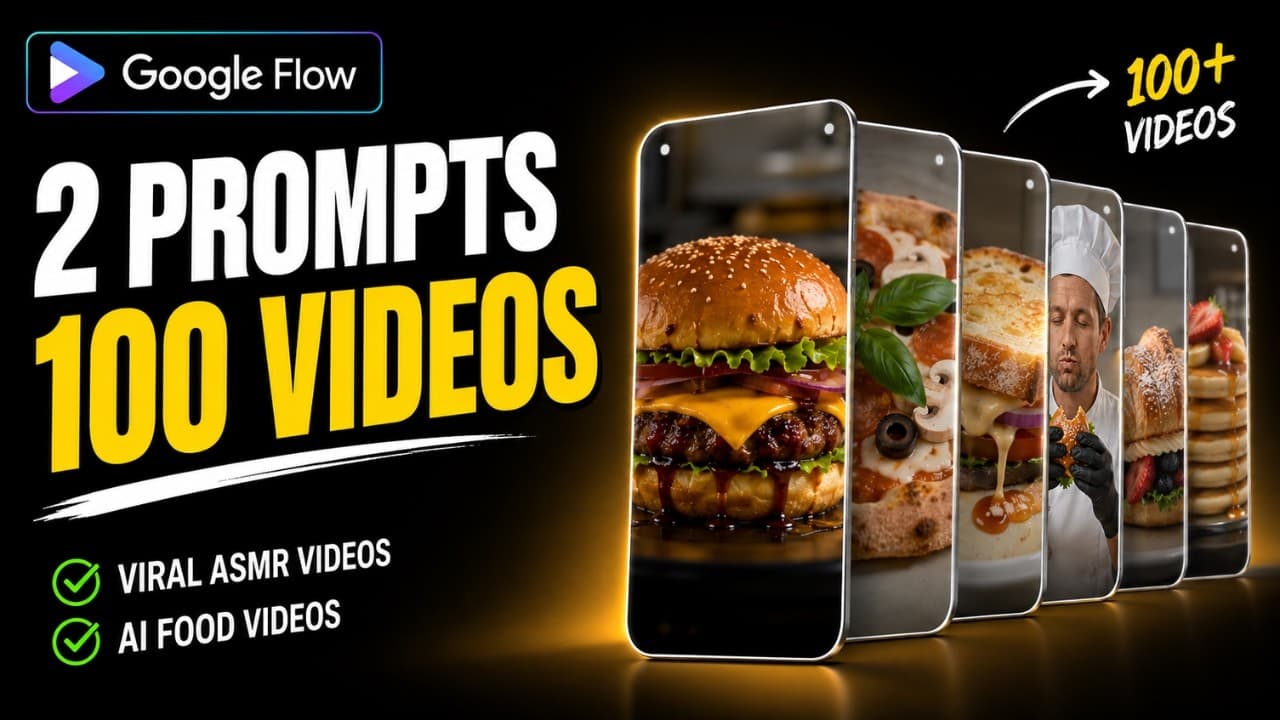
A detailed step-by-step process for creating a multi-layered food ASMR (Mukbang) video series with millions of views and no watermark, using Google Flow, Omni Flash, and Canva, featuring layered ingredient arrangements and food enjoyment.
The niche video genre of Food ASMR, featuring layering ingredients and enjoying meals (Food Assembly & Mukbang ASMR), is attracting millions of views on TikTok, YouTube Shorts, and Instagram Reels. The effect of layers of ingredients (bread, melted cheese, grilled beef, fresh vegetables) automatically flying onto the plate and stacking smoothly, followed by satisfying bites, creates an incredibly captivating visual and auditory experience.
In this tutorial, you'll learn how to produce hundreds of high-quality, watermark-free food ASMR videos using Google Flow (Model Omni Flash) and fine-tune the audio and color to cinematic quality in Canva with just two prompt master statements.
Sample concept: "Layered Grilled Beef and Cheese Burger & Mukbang Eating Scene"
• Part 1 (Assembly Scene): A clean ceramic plate is placed on a wooden table. The burger ingredients (toasted sesame bun, rich burger sauce, sizzling grilled beef patty, melted cheddar cheese, crispy bacon, red tomato, crisp lettuce) fly onto the plate and neatly stack on top of each other in 10 seconds. • Part 2 (Eating Scene): The diner (your portrait or AI character) holds the finished burger in their hand and takes a big, delicious bite. • Format: Vertical video 9:16 (Shorts/Reels/TikTok), the combined duration of the two scenes is approximately 15–20 seconds.
The 4-step process for mass-producing ASMR food videos.
Step 1: Master Prompt creates a scene of stacking ingredients layer by layer (Google Flow).
Open Google Flow > Create New Project > Select Video Mode. Set the parameters: • Aspect Ratio: 9:16 (Vertical Video). • Model: Omni Flash (smooth, sharp motion). • Duration: 10 seconds (costs 15 credits). • Turn off Watermark in settings.
Copy the Master Prompt below, replacing the name of the dish and the list of ingredients you want to make (ask ChatGPT for a detailed ingredient list for Burgers, Sandwiches, Pizzas, Tacos, Cakes, etc.):
Prompt mẫu
Vertical 9:16 macro cinematic stop-motion food assembly video. On a clean rustic ceramic plate resting on a warm wooden table, ingredients for a delicious [FOOD: Gourmet Bacon Cheeseburger] magically appear and stack one by one from bottom to top with ultra-smooth fluid motion: [INGREDIENTS: toasted sesame brioche bottom bun, rich secret sauce, sizzling juicy beef patty, melting thick cheddar cheese slice, crispy bacon strips, fresh red tomato slice, crunchy green lettuce, and glossy toasted sesame top bun]. Warm appetizing studio lighting, tactile food textures, glowing cheese glisten, steam rising gently, hyper-realistic 8k, buttery smooth 24fps animation, no text, no watermark.
Step 2: Create personalized Mukbang eating scenes with customized facial expressions.
After rendering Part 1 of the video, download it to your computer and follow these steps to add the scenes together:
1. Open Part 1 video and take a screenshot of the last frame when the dish is complete. 2. Upload the screenshot of the dish and a clear portrait photo of yourself to Google Flow. 3. Select the Ingredients option and add both images to the prompt box. 4. Paste Master Prompt 2 below to create a scene of yourself taking a bite of the delicious dish:
Prompt mẫu
Vertical 9:16 cinematic close-up video. Maintain the exact facial features and identity of the person from the portrait image and the exact delicious [FOOD: Gourmet Bacon Cheeseburger] from the food reference image. The person is holding the fresh burger with both hands and enthusiastically takes a big, satisfying bite with sheer delight. Delicious juicy texture, mouthwatering expression, soft warm indoor lighting, photorealistic 8k, buttery smooth motion, no glitch, no watermark.
Tip: If you don't want to use your face, switch to Frames mode, load a picture of the food as the First Frame, and use the command: 'A cheerful food lover enthusiastically taking a big satisfying bite of the [FOOD] with pure joy'.
Step 3: Combine and fine-tune vibrant colors in Canva
Open Canva (canva.com) > Create a new project 'Mobile Video' (1080x1920):
• Upload two video clips to Canva. Drag clip 1 to Page 1 (right-click and select 'Set video as background'). Click the (+) sign to add Page 2 and drag clip 2 to use as background. • Adjust colors to enhance visual appeal: Select each video > Go to Edit Video > Adjust > Increase Saturation to +20 and Highlights to +20. This step helps the colors of the cheese, lettuce, and grilled meat appear vibrant and glossy, perfect for commercial advertising.
Step 4: Extract and Optimize Multi-Layer ASMR Audio
Sound is the soul of ASMR food videos:
1. Right-click on each video in the Canva timeline > Select 'Extract Audio'. 2. Select the extracted audio track > Click 'Balance all'. Canva will automatically boost the audio to the clearest possible level without distortion. 3. Listen to the crackling sounds of ingredients, the sizzling of meat, and the crunchy bites. Then click Share > Download the video in MP4 1080p format.
Quality control checklist before publishing.
Checklist thực hành
- The vertical video resolution is a sharp 1080x1920, free of logos or watermarks.
- The layers of ingredients are stacked in the logical order of a real dish.
- The transition between the food arrangement and the biting scene is smooth and matches the food in Part 1.
- The food colors are bright and have a moist sheen (Saturation & Highlights +20).
- The ASMR sound is loud and clear, with crisp bites and lively sizzling sounds.
- Each video can be quickly duplicated in 2 minutes simply by changing the dish name and ingredient list.
Lean manufacturing system
ChatGPT (Tạo danh sách nguyên liệu theo món ăn)
→ Google Flow Prompt 1: Render video xếp tầng nguyên liệu (Omni Flash, 10s, 9:16)
→ Chụp Last Frame món ăn + Ảnh chân dung cá nhân
→ Google Flow Prompt 2: Render cảnh cắn thưởng thức Mukbang (Omni Flash, 10s)
→ Canva: Ghép 2 trang + Chỉnh màu Saturation/Highlights (+20)
→ Canva: Extract Audio + Bật tính năng 'Balance all' khuếch đại ASMR
→ Xuất bản video Food ASMR triệu view
The process, combining Google Flow's intelligent cascading prompts with Canva's audio/color processing, allows you to easily duplicate hundreds of engaging food videos daily, building a multi-platform food ASMR channel with millions of views completely automatically.